


It’s no secret that links are one of the most effective ways to promote websites on the Internet. Search engine robots consider a number of factors before making a new list for ranking, and they pay attention to how many backlinks you have.
Some entrepreneurs spend dozens of thousands of dollars each month to implement link building campaigns. However, there are harmful links that can damage your reputation and promotion. In some cases, the best solution is to disavow links. Do you want to learn more about link disavow and how to disavow toxic backlinks? In this article, you will find a lot of useful information on how to improve your search engine optimization with link building.
❓ What is Disavow Links?
We’ve noticed a lot of questions like «what is disavow» from newbies on SEO forums and it’s time to reveal all the secrets. Disavow links is about removing unnecessary backlinks that refer back to your website.
As you might know, everyone can publish a link on the Internet – on forums, social networks, groups, comments, articles, and so on. Not all links are useful for receiving web resources, so sometimes SEO specialists decide to disavow links. Simply speaking, this is an appeal to Google representatives not to take into account the selected link(s) for further indexation of pages.
Knowing how to disavow backlinks, you can competently manage the link base of your website. This approach will allow you to get only useful effects from link building, avoiding dangerous domains.
📈 The Benefits of Disavowing Links for SEO
We want to point out right away that disavowing backlinks can be the right decision if those links are potentially damaging to your promotion. So, let’s take a closer look at the main benefits when you disavow links:
🔹 Avoid the risks of deteriorating SEO positions. Poor links do not contribute to promotion. They on the contrary push your site lower, losing positions in ranking.
🔹 Prevent becoming a victim of spam. Google’s search engine doesn’t like spammy websites, so it can penalize anyone they refer to on their platforms.
The links with a low authority score can also be harmful for sites that demonstrate progressive results. Before you disavow backlinks, you should be absolutely sure of their low quality.
🔍 Knowing When to Use Link Disavowal
What is disavow – this is far from the only question that newcomers to search engine optimization often wonder about. For many people, it is also a mystery how to determine if a backlink needs to be disavowed. This is a process that should be approached responsibly. Here’s when you should disavow links immediately:
- You have noticed that your key SEO metrics are rapidly declining.
- Your website has fallen under Google’s manual penalties.
- You have used dubious link building techniques and are now concerned about it.
Imagine what would happen if you asked Google to delete good links instead of bad ones. Obviously, this will have a negative impact on your authority, search engine rankings, and user traffic.
➡️ Understanding Spammy Links in SEO Context
As we said above, links can be both useful and dangerous for promoting a website on the vastness of the Internet. This is the reason why you should get to know better what spammy backlinks are, why they have a negative impact, and how to disavow links. Let’s understand these issues in order!
Spammy (toxic links) are backlinks that are most often obtained by ways that are not approved by Google’s rules. Sometimes SEO experts deliberately go for this step with the hope of going unnoticed, and in other cases such links can be obtained by accident.
Actually, Google is constantly updating its algorithms that can easily identify the poor quality backlinks. Since 2022, an innovative SpamBrain system based on artificial intelligence is being used. Therefore, lovers of spammy tactics are actively penalized.
🔢 Steps to Discover Spammy Links
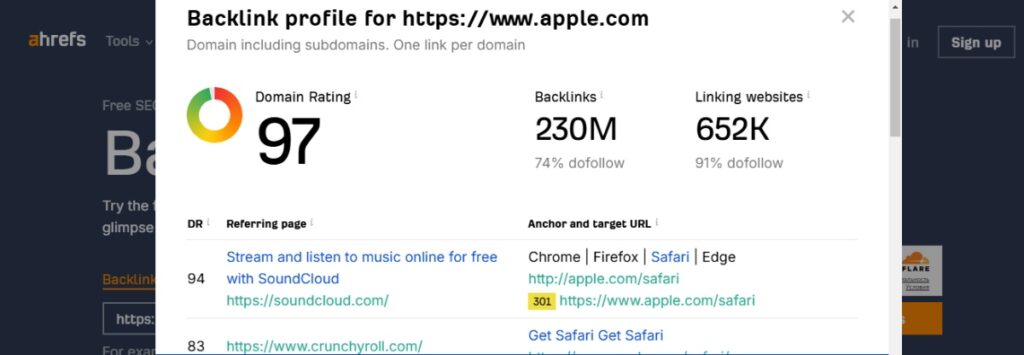
If you want to disavow links, you must accurately determine that they belong to the spammy category. We have prepared a short guide that will help you to identify potentially dangerous links in time.
- Choose a tool. There are many advanced SEO tools these days to identify spammy links. The experts often use Ahrefs for such tasks.
- Analyze the results. You need to look at the list of backlinks and analyze them using parameters such as site quality, anchor naturalness, and traffic.
Now that you’ve found links that are worth rejecting, you can be more confident that SEO promotion will be better.


⌛️ Time Required for Disavowing a Link Explained
In order to disavow backlinks, you will have to submit a request to Google and therefore the whole process may take some time. It is quite difficult to say how long the process, from finding bad links to disavowing them, can take, as it all depends on the individual case.
Generally, finding bad links and uploading them to Google Search Console is a quick process. However, further consideration of your request by employees of this American company may take either three days or three months. As practice shows, the first results can usually be seen after 4 weeks.
📑 Tips for Maximizing Your Link Disavowal Efforts
Before you learn how to disavow backlinks, we recommend you read a few tips. We have gathered nuances and features that will help make this process as effective as possible for your website.
➡️ Take enough time to select poor links. The main rule is not to disavow links just for fun. Even if they seem bad to you, check them with known tools and analyze them.
➡️ Monitor the results constantly. Check regularly if Google has disavowed selected links from being indexed. If yes, you should look at the key SEO metrics to see if such tactics are effective.
You can also peek at what your competitors are doing. You may have backlinks from the same domain as other websites in your niche.
❗️ What to Consider Before Utilizing the Disavow Tool?
The first thing we wanted to tell you is that you should not hurry up and disavow backlinks. If you think the links are poor and dangerous, first of all, try to contact their authors and negotiate their removal. This is the fastest and safest way to protect yourself from penalties caused by spammy links.
You should know that sending a disavow file is somewhat of a risk. Why is that? This way Google may suspect that you have been previously involved in dishonest online promotion tactics. Also, there are cases where bad links were beneficial to the search engine optimization of a website and, therefore, did not need to be removed.
⚙️ How to Use Google Search Console for Link Disavowal?
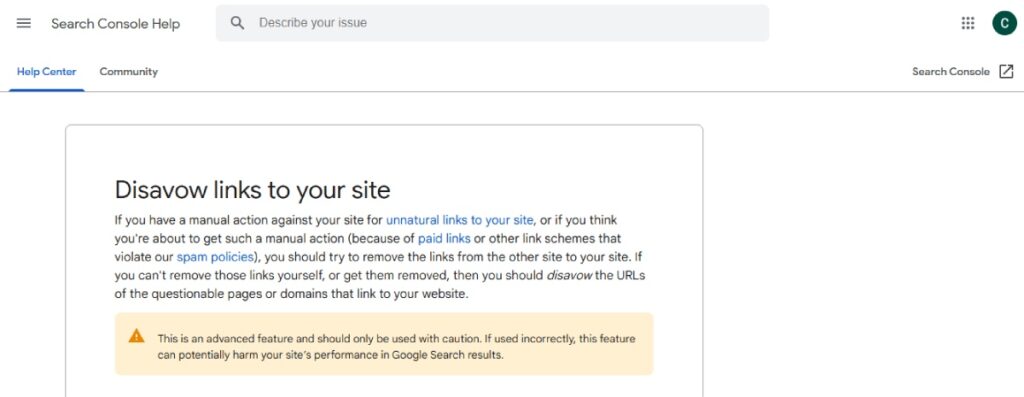
To understand how to disavow backlinks, you need the help of a tool like Google Search Console. Every webmaster has access to this service, and no special knowledge is required to work with it. If you do make the final decision to disavow, it will be useful for you to read our guide. We can conditionally divide the whole process into two stages, including the preparation of a list of bad links and their further uploading to Google Search Console.
Step 1️⃣: Preparing Your Disavow List
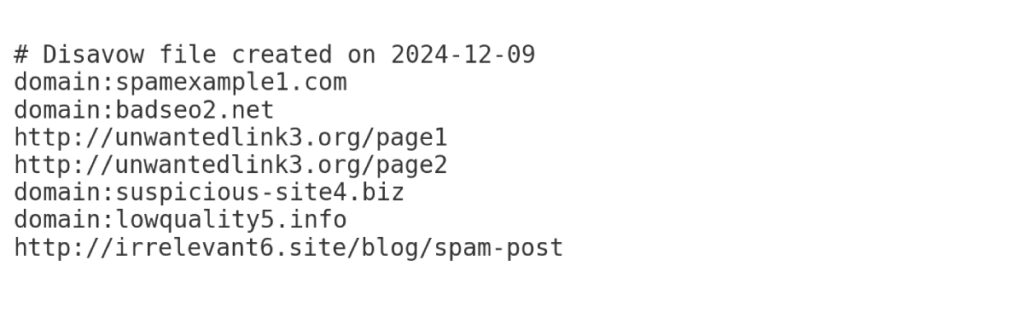
Use the backlink tool and start determining which ones you want to get rid of for good. Now, just create a .txt file on your desktop and open it.
So, all you need to do is type the URL link and domain name. Using the Ctrl+C and Ctrl+V buttons, it won’t take you long to make a list. Each link should start on a new line. You can also leave your own comments in the file by using the grid symbol before the text. The screenshot above is a great example of what a disavow backlinks list might look like.
Step 2️⃣: Uploading Your Disavow List
When the disavow links list is fully written, you need to make sure it meets the necessary criteria. Here’s what you should know about:
- The file size does not exceed 2MB and does not have more than 100 thousand terms in total.
- Your file name ends with .txt.
- Links are no longer than 2048 characters in length.
If all the requirements are met correctly, you can go to Google Search Console and select the «Disavow Links» tab. All that’s left to do is select your website and upload your pre-prepared document. If you have ever done this practice before, the new list will replace the past disavow backlinks list.
⚖️ Comparing Disavowing and Removing Backlinks
Some beginners confuse the terms disavow backlinks and remove them. When you want to remove backlinks, you completely erase them, and the user can no longer get to the desired page through a click. In such a case, the link completely loses its functionality and disappears from the radar of search engine robots. It is believed that it is better to remove links than to disavow backlinks. The only negative thing is that a deleted link cannot be recovered. When you disavow links, they still continue to perform their main function. When users click on them, they are taken to the desired page. Google simply stops evaluating it for ranking and authority of the website as a whole.


