


At least once in your life, you’ve used Wikipedia to complete a school project or gone down the rabbit hole of your favorite topic – from ancient civilizations to conspiracy theories and niche hobbies. But have you ever wondered why Wikipedia always shows up at the top of search results?
The answer is simple: over the years, Wikipedia has become one of the most reputable and trusted websites in the world, with its traffic reaching 2.6B visits in June 2025. That’s why getting a backlink from Wikipedia is like striking gold.
These links aren’t just another line in your backlink profile. They’re powerful because they come from a neutral, high-authority source. They help boost your site’s trust, improve search engine visibility, and even drive high-quality referral traffic.
In this guide, we’ll answer key questions like: Are Wiki backlinks good for SEO? Can you get a backlink from Wikipedia? And how do you find Wikipedia’s dead links? We’ll walk you through the exact steps you need to take to earn a Wikipedia backlink the right way.
☝ Defining Wikipedia Backlinks. What Makes Them So Valuable?
A Wikipedia backlink is a hyperlink from a Wikipedia article that points to an external website, usually included as a reference, citation, or additional resource. You’ll often spot them in the “References” section, but they can also appear inline to support specific facts or claims.

Here’s the technical part: all external links on Wikipedia are marked as nofollow. That means they don’t directly pass traditional SEO “link juice” like dofollow links do. But don’t let that fool you.
Wikipedia pages rank insanely well in search engines and often get cited by other high-authority websites. Here’s why marketers and SEO professionals chase Wikipedia backlinks:
- Wikipedia.org has a domain rating (DR) of 96, making it one of the strongest domains on the internet.
- Links from Wikipedia signal that your content is trustworthy and valuable enough to be cited.
- Wikipedia pages get millions of visits daily. A link there can drive qualified, niche-specific traffic to your site.
- Pages linked from Wikipedia often get crawled and indexed faster by search engines.
- Being cited on Wikipedia enhances your brand’s perception as a reliable source of information.
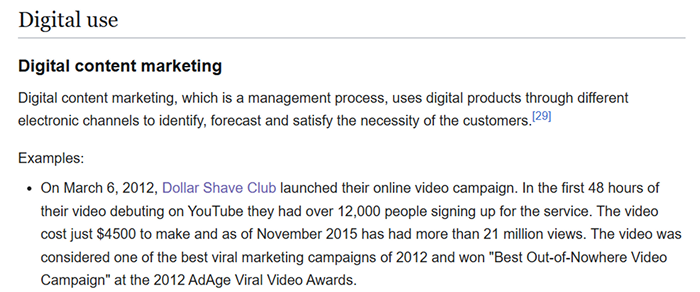
Here is one of the options for implementing such a link. Dollar Shave Club has a link to their Wikipedia profile and a link to their website in their profile.
4️⃣ Four Steps to Getting Wikipedia Backlinks
So, how do you actually earn one of these valuable links?
Unlike other backlink strategies, you can’t just pay for a placement or slide one into a guest post. With Wikipedia, it’s all about playing by the rules, being helpful, and thinking like an editor, not a marketer.
Below is a simple, four-step process that shows you how to earn Wikipedia backlinks ethically, strategically, and without getting your link removed five minutes later.
1️⃣ Step 1: Make a Wikipedia Account
Sure, you can edit Wikipedia without an account, but if you’re serious about earning a backlink, creating one is the way to go. It’s free, it takes seconds, and it comes with a bunch of perks:
- Your IP address stays private
- You can create new pages and upload media
- You gain more editing rights over time
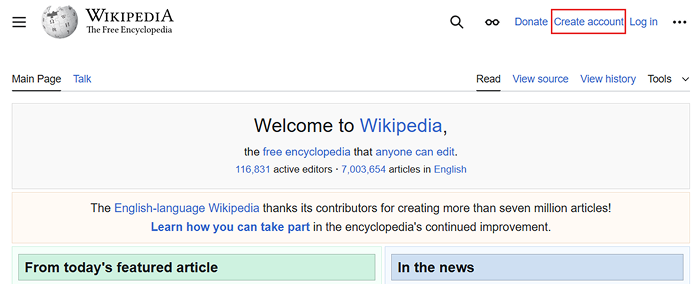
But here’s where it gets strategic. Wikipedia uses a trust system. So what should you do? Start small. Make a few meaningful edits – fix typos, clarify content, or update broken citations. Don’t touch controversial topics or immediately try to drop a link. Build trust first, then earn your spot. Be helpful, be patient, and think long game.
2️⃣ Step 2: Find Dead or Broken Wikipedia Links
One of the smartest (and most ethical) ways to land a Wikipedia backlink is by fixing what’s broken, literally. Wikipedia has thousands of external links that are outdated, dead, or missing altogether. That’s your golden opportunity.
To find these broken links, use Google search operators like:
- site:wikipedia.org “dead link”
- site:wikipedia.org “citation needed”
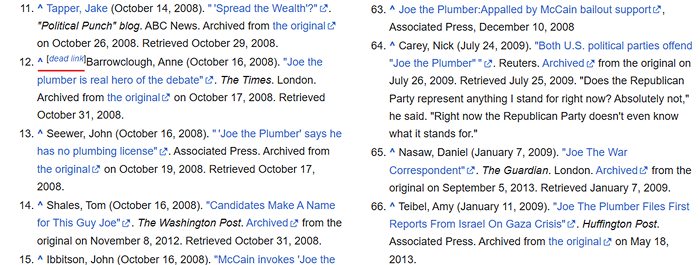
For example, searching `site:wikipedia.org “dead link” plumber` brings up Wikipedia pages with the “plumber” keyword that include broken references. These are real-time backlink opportunities waiting to be fixed.
Want to dig even deeper? Tools like Broken Link Checker can help. Just enter wikipedia.org as the domain, then filter the results to show broken outbound links. You’ll get a full list of pages pointing to pages you can help improve.
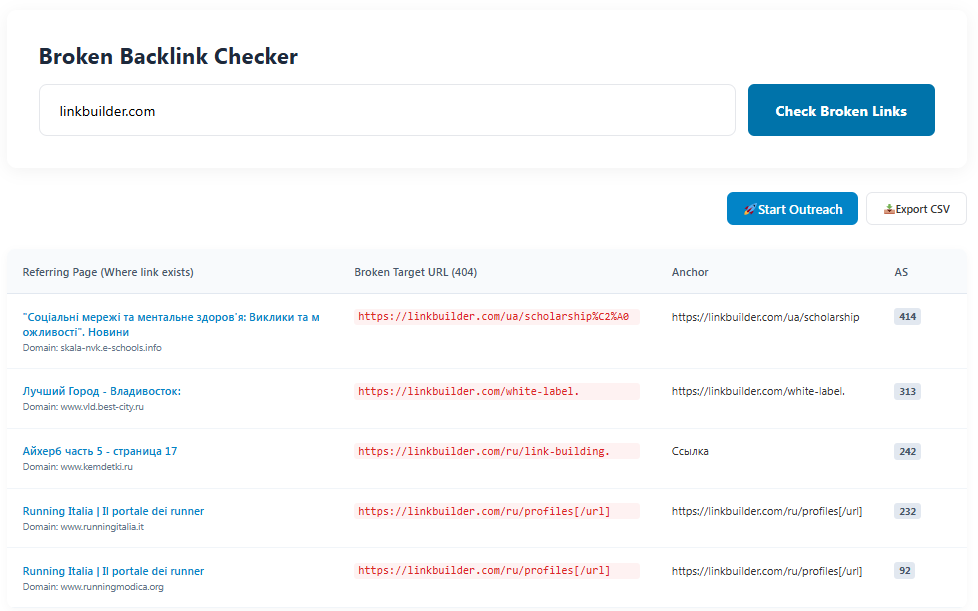
Don’t just go after any link. The real value comes when you find articles related to your industry or target keywords.
3️⃣ Step 3: Create or Source Content for the Wikipedia Reference
Now that you’ve spotted where a link is missing or broken, it’s time to make sure you have the right content to back it up. Wikipedia isn’t just any website, it demands neutral, fact-based, and trustworthy sources:
- Non-promotional and objective: your content should stick to facts and avoid any marketing language. Wikipedia editors are quick to spot anything that looks like an ad, and they’ll remove it.
- Published on a reputable domain: links from brand-new blogs or personal sites often won’t cut. Ideally, your content should be on a well-established, trustworthy website that users and editors will recognize as credible.
- Backed by solid references: make sure your article includes verifiable data, statistics, or quotes from respected sources.
If you don’t have existing content that fits, consider creating a dedicated article or blog post tailored for Wikipedia’s audience. Just remember to write it with their standards in mind. The goal is to provide value, clarity, and reliability.
4️⃣ Step 4: Insert Your Link into a Wikipedia Page
Alright, you’ve found the broken link, created solid content, and built a trustworthy account. Now it’s time for the most sensitive step: editing the Wikipedia article and adding your link.

- Log in to your Wikipedia account.
- Find the article with the dead or outdated link and click “Edit” then “Visual editing”.
- Scroll to the exact spot where the broken or missing reference is located.
- Carefully replace or add your link, making sure to use the proper citation format Wikipedia requires.
- Save your changes.
- Keep an eye on the page afterward, sometimes other editors might revert or comment on your edit.
If your link is relevant, reliable, and properly formatted, it’s more likely to stick.
👉 Things to Avoid in Wikipedia Article Edits
Wikipedia has some of the strictest quality guidelines on the internet, and for good reason. It’s built on trust, neutrality, and verifiable information. That means even well-intentioned edits can get removed if they don’t follow the rules. To keep your backlink safe, avoid these common mistakes:
- Self-promotion: don’t try to advertise your business, product, or service. Wikipedia is not a place for marketing.
- Using unreliable sources: stick to academic papers, trusted news outlets, government sites, or respected industry publications. Commercial blogs and content farms won’t fly.
- Editing with bias: keep your tone factual and neutral. Wikipedia doesn’t care about your opinion, it wants cited, balanced information.
- Copy-pasting content: never lift text directly from your website or any other source. Not only is it plagiarism, but it also looks spammy.
- Overloading links from the same domain: dropping multiple links from your site across various articles is sure to get you noticed in a bad way.
- Using low-quality content as citations: if your source looks promotional, thin, or lacks credibility, editors will remove it.
Getting a backlink from Wikipedia isn’t easy, and that’s exactly why it’s worth the effort. These links come from one of the most trusted sites on the web and can boost your site’s authority, visibility, and referral traffic.
By following those 4 steps, you can earn a spot on Wikipedia the right way. Just remember to follow the rules, avoid promotional tactics, and think like an editor, not a marketer. Take your time, focus on quality, and contribute something useful; that’s the real path to landing a lasting Wikipedia backlink. And if there are any questions left or you feel like you need any professional help with link building, don’t be shy and contact NeedMyLink.


