


YouTube isn’t just for cat videos and conspiracy theories; it’s actually the world’s third-largest search engine. Oh, and fun fact: 80% of online shoppers watch videos about products before they buy. So if you’re still sleeping on creating your channel or teaming up with influencers, consider this your wake-up call. And remember: according to Backlinko, 68.2% of first-page YouTube results are in high definition (HD). So yes, quality matters.
But here’s where it gets even better: you can use YouTube for link building. Video backlinks can give your site a serious visibility boost, drive targeted traffic, and even help you climb the Google rankings. The real question is: how do you get those backlinks? How do you add links to your YouTube bio? Does YouTube even have SEO? Let’s break it all down.
❓ What Exactly Are YouTube Backlinks?
Picture a regular backlink, then imagine it living inside YouTube’s ecosystem, pointing away from a video or channel toward your blog, store, or landing page. That’s a YouTube backlink. Because the platform boasts a Domain Rating of 99, those links come stamped with serious credibility. You can place backlinks YouTube in several spots across your channel and videos, including:
🔹 Video descriptions
🔹 Channel bio
🔹 Pinned comments
🔹 End screens
🔹 YouTube cards
🔹 Embedded videos on third-party sites
🔗 Backlink Types
When it comes to building backlinks (YouTube or otherwise), there are two main types you need to know: do-follow and no-follow. Both play an important role in your SEO strategy, just in different ways.
Do-follow links pass “link juice.” Google’s crawlers treat them like a friendly hand-off: “This page trusts that page.” Result – extra authority for the target URL.
No-follow links carry a rel=”nofollow” tag that politely tells search engines, “Feel free to visit, but don’t count this vote.” Authority stays put.
YouTube uses the no-follow attribute for every outbound link. Hold the dramatic music, those links still have plenty of upside.


➕ YouTube Backlinks and Their SEO Advantages And Impact
Even though backlinks YouTube are no-follow, that doesn’t mean they’re worthless. In fact, they come with some pretty sweet SEO perks that go beyond just passing link juice. Here’s how YouTube video links help:
- Indirect ranking help: traffic and engagement that flow from YouTube signal to Google that your page is helpful. Good vibes can lift your search positions.
- Better on-site behavior: viewers who click through often stick around, lowering bounce rate and stretching session time – metrics Google watches like a hawk.
- Trust by association: showing up on a platform people already trust does wonders for brand credibility (humans and algorithms both notice).
- Link-earning chain reaction: as your video gets embedded or cited, you pick up fresh, often do-follow backlinks from blogs, news outlets, and forums.
- Healthy link portfolio: a natural mix of do-follow and no-follow links looks authentic. Google likes authenticity.
Bottom line: even without transferring classic “juice,” YouTube backlinks can drive real traffic, polish your brand’s reputation, and set off a domino effect of new do-follow links elsewhere, all while keeping your backlink profile pleasantly diverse.
🏆 Top 8 Strategies for Scoring Backlinks on YouTube
You’ve tuned up your channel, polished your thumbnails, and maybe even memorized the entire “Charlie bit my finger” transcript. So let’s talk backlinks. Below are eight proven moves to turn YouTube into a link-building machine. We’ll start with two quick wins.
✅ Sneak Links into Video Descriptions
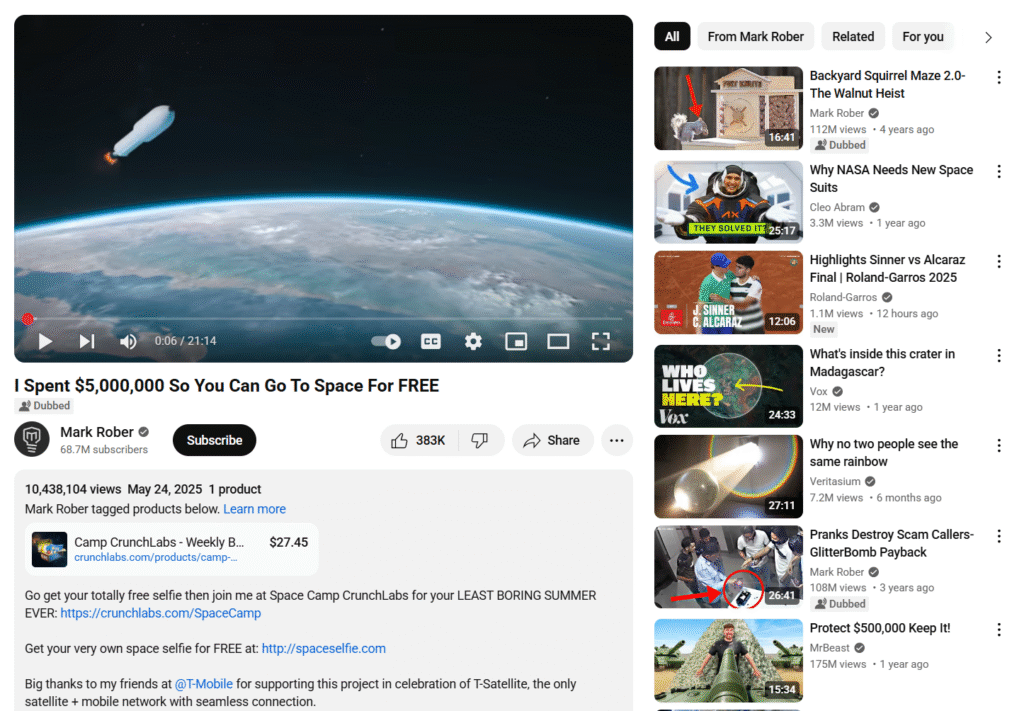
The description box is one of YouTube’s ways of creating backlinks. Drop them there, and you instantly open a side door to your site, blog, store, or social feeds. But resist the urge to dump raw URLs like they’re yesterday’s laundry.
- Front-load the good stuff. Those first two lines show up above the fold, so place your most valuable link (home page, flagship product, sky-diving cat GIF) right at the top.
- Use real words as anchor text. “Check out my epic guide” feels human; “CLICK-HERE-97%-OFF” screams spam.
- Slip in a call-to-action. Something as simple as “Grab the checklist here” nudges viewers to, well, grab the checklist.
Done right, a single description can funnel high-intent traffic straight to your turf while Google takes note of the activity.
✅ Turn Your Channel Bio into a Mini Link Hub
The “About” tab is always on display, think of it as your channel’s elevator pitch plus a handful of outbound doors. What belongs there?
- Your main site (obvious but often missed).
- A lead magnet or landing page for that shiny new e-book.
- A portfolio or case-study page to impress future clients.
- One or two social profiles where you’re actually active (sorry, Myspace).
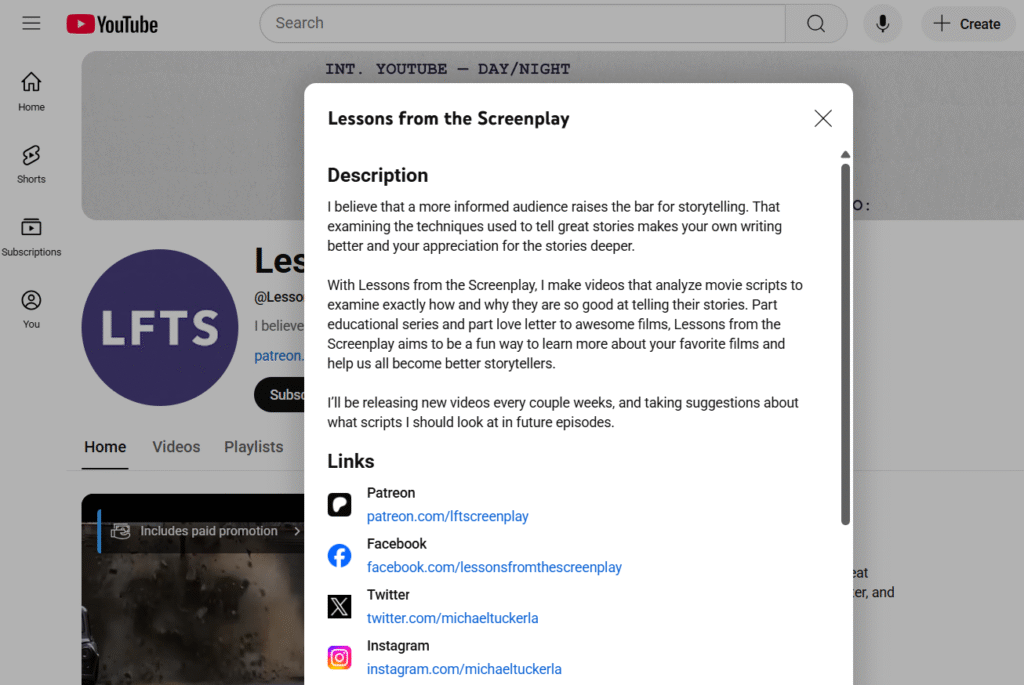
Google lets you list up to 14 external URLs, yet packing them all in turns your bio into a link jungle. Stick to four or five and keep them current, especially if one points to a limited-time promo. Nothing says “abandoned ship” like a coupon that expired with Vine.
A well-curated bio keeps the referral traffic trickling 24/7 and shows search engines your brand lives beyond YouTube’s borders.
✅ Collaboration for YouTube Backlinks
Collaboration is one of the smartest ways to build YouTube video links. When you partner with content creators, you tap into their audience, credibility, and value.
🔹 Paid partnerships – sponsor videos or collaborate with influencers. Most creators will include backlink YouTube to your website, product pages, or special offers in the video description or pinned comment.
🔹 Joint videos – create co-branded content with a relevant business where both parties promote the video across their platforms, linking back to each other’s websites or channels.
🔹 Guest appearances – join podcasts, interviews, or panel discussions hosted by other creators. When they publish the content, they’ll include a link to your site.
Besides backlinks, collaborations boost trust. When a respected creator vouches for your brand, their audience is much more likely to check you out, and search engines love seeing that kind of organic engagement and referral traffic.
✅ Share Videos on Social Media to Gain Backlinks
You can’t just upload a bunch of videos, hoping they’ll become viral. Promote your YouTube videos on social media.
By sharing your videos across platforms like Twitter (X), LinkedIn, Facebook, Instagram, Reddit, and niche communities, you increase the chances of others:
🔹 Embedding your video on their blogs or websites
🔹 Sharing it in newsletters or online publications
🔹 Dropping it in forum threads or niche discussions
🔹 Citing it as a source in their own content
Every time your video is embedded or linked, there’s a good chance it’ll create a natural backlink, either to the YouTube video itself or to your website (if you’ve added links in your description or bio).
✅ YouTube Video End Screens
End screens are those clickable elements that pop up in the last 5–20 seconds of your video, and if you’re not using them, you’re missing out on serious engagement and backlink potential. By default, YouTube wants you to keep viewers on the platform, so end screens typically promote other videos, playlists, subscription to your channel, or even external sites.
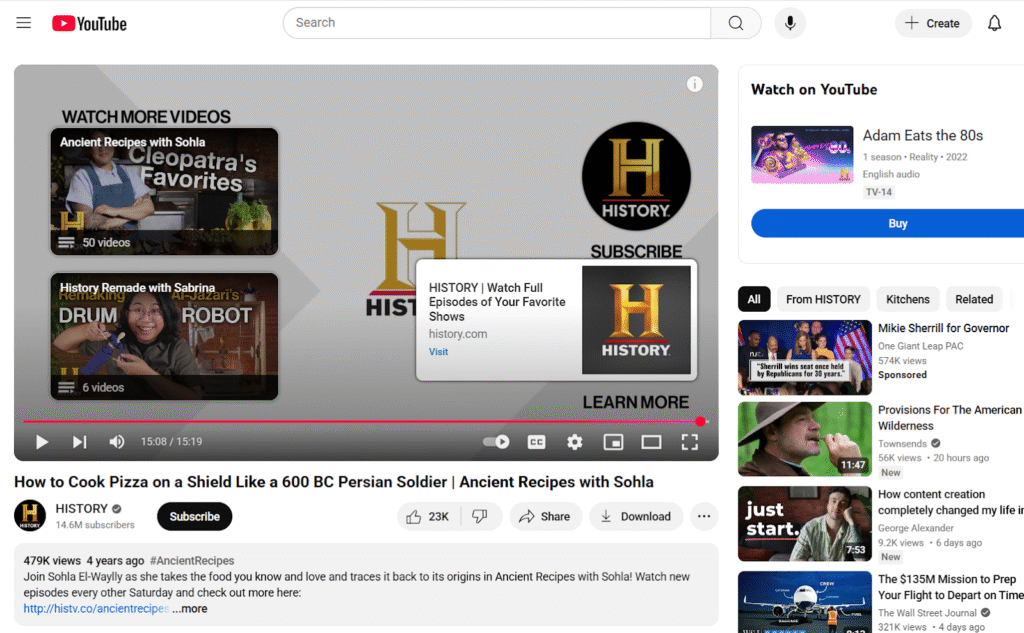
Keep viewers engaged, guide them toward your conversion path, and make it easy for them to eventually land on your site.
✅ Building Backlinks by Commenting on YouTube
Don’t underestimate the power of a thoughtful, relevant comment on popular videos in your niche. When you add genuine insights or helpful tips, you not only attract attention to your channel but also encourage curious viewers to check out your content. This kind of engagement can indirectly drive traffic, grow your audience, and even lead to natural backlinks as people discover and share your channel.
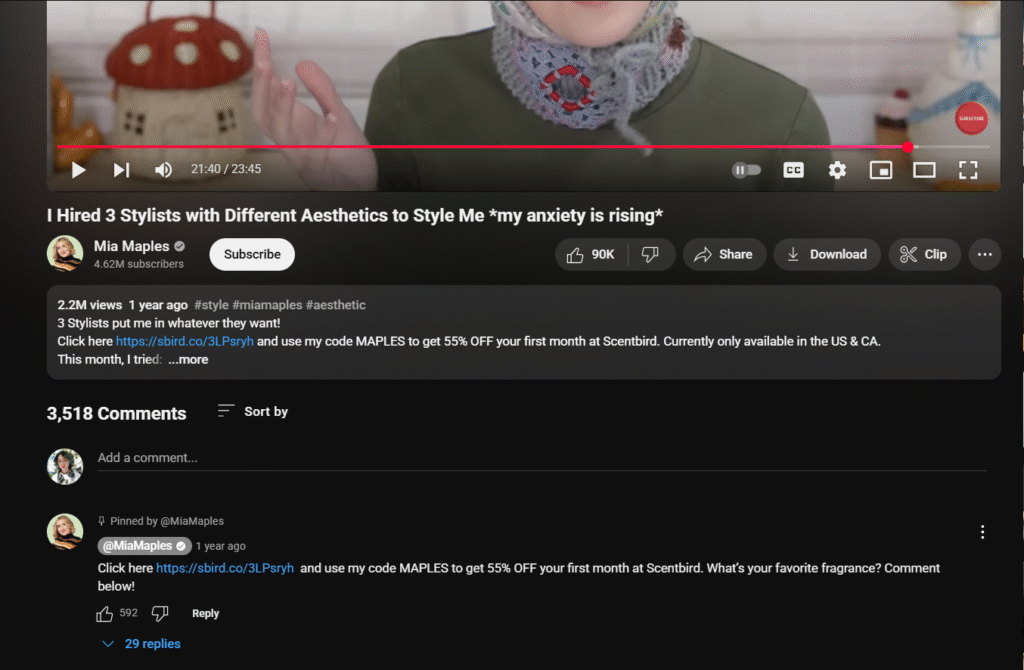
Additionally, don’t forget that you can also post links in the comments section under your videos. Especially to related content, your website, or resources mentioned in the video. Just keep it relevant and useful to your viewers.
✅ YouTube Cards Usage
YouTube Cards are those little pop-ups that appear mid-video in the top right corner prompting viewers to follow the link. They’re clickable, visual, and can be super effective.
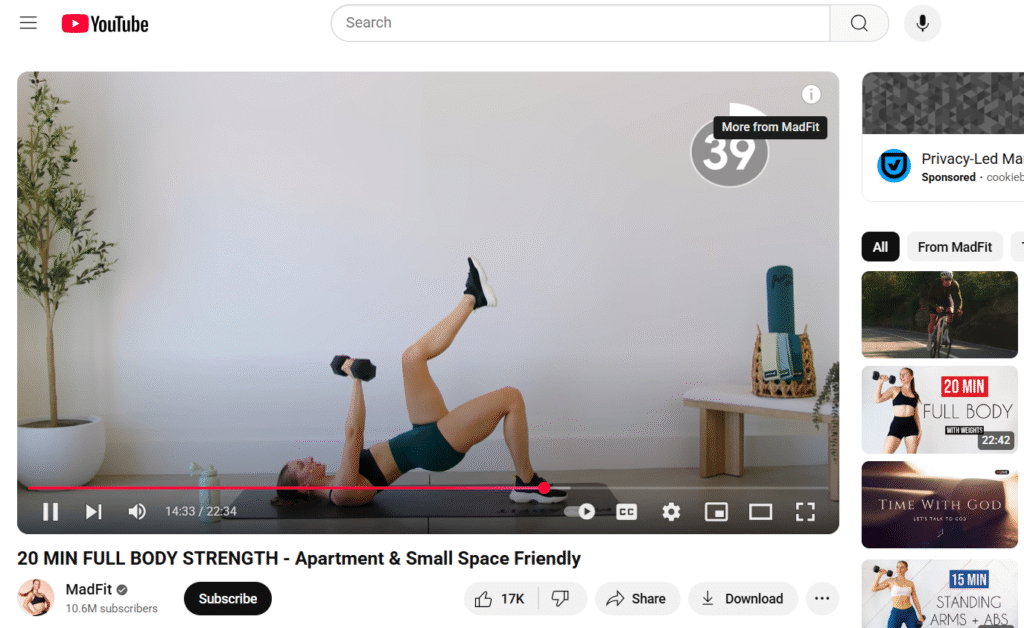
But unless you’re part of the YouTube Partner Program, you can’t use cards to link directly to external websites. You can still use them to:
🔹 Promote other videos or playlists that support your funnel
🔹 Direct viewers to videos where you do mention external links in the description
🔹 Highlight relevant content or series that build more trust and engagement
You are creating an internal deep links on your channel. By guiding viewers from one video to another, you’re keeping them engaged and warming them up before they’re ready to visit your site.
Remember: you can only add up to 5 cards in a single video.
✅ Link Generation via Video Embedding
One of the ways to earn video backlinks is by getting your content embedded on third-party websites. Every time someone embeds your video on their blog, news article, resource page, or forum, YouTube automatically includes a link back to your video. These embeds boost your video’s visibility and watch time, drive referral traffic, strengthen your content’s credibility, and create authoritative YouTube SEO backlinks.

With the right strategy, even through no-follow backlink YouTube can help balance your backlink profile, avoid penalties, and reach fresh, engaged audiences. So go forth, create a channel, YouTube video links thoughtfully, and may the algorithm be in your favor.
And whether you’re optimizing your video descriptions or diving into other link building tactics, it’s always better with someone who knows what to do. Like our experts in NeedMyLink. From Google indexing to guest posting and beyond, we’ll handle everything about SEO so you can focus on growing your brand.
Now go get those backlinks. Or let NeedMyLink get them for you.


