


In SEO, every good tactic eventually gets overdone. It starts with solid results, then someone pushes it too far, and – surprise! – Google steps in with a new update and a penalty. And yes, you can usually thank black-hat SEOs for ruining the party.
Sitewide links are a perfect example. Fifteen years ago, they were skyrocketing rankings and domain authority overnight. Today? They’re more of a “handle with care” situation, often cited in cautionary tales for newbie SEOs.
So, what are sitewide links? Are they truly bad? Or just misunderstood? And more importantly, can you still use them without getting in trouble with Google?
📘 Explaining Sitewide Links
Sitewide backlinks are the ever-present hyperlinks that pop up on multiple pages of a website. They live in sections that never change, like the footer, header, sidebar, or the built-in blocks of a CMS template. A single link can be cloned dozens, hundreds, or even thousands of times, depending on the site’s page count.
You’ve definitely bumped into them: a footer credit, a shiny badge pointing back to a service provider, or a quiet little promo tucked into a partner’s sidebar. Brands with multiple web properties sometimes take it a step further, dropping sitewide links that funnel traffic to their sister sites or spin-off businesses.
Once, plastering your link on every page was a winning SEO strategy. If a whole site vouches for you, Google has deemed you something special.
Then came the infamous Google Penguin update of 2012. Penguin went after all manipulative link tactics, and overnight, those sitewide links started looking more like warning signs. Since then, Google has viewed them with suspicion, especially when they appear unnatural or overly optimized.
🔍 Are Sitewide Links Recognized as “Natural” Links?
Let’s get one thing straight: there’s no such thing as a 100% natural or 100% unnatural link. It all depends Let’s get one thing straight: there’s no such thing as a 100% natural or 100% unnatural link. It all depends on how the link is used and whether it makes sense in context. The same logic applies to sitewide backlinks. Search engines may view sitewide links as natural if they occur organically and serve a clear purpose within the site’s structure. Some common examples include:
- A credit link to the web developer or design agency;
- A link to the privacy policy or terms of service;
- A CMS attribution, such as “Powered by WordPress”;
- Links to sister sites or trusted partners;
In these cases, the link isn’t trying to manipulate rankings. It’s fulfilling a functional or attributional role. As always, intent and relevance matter more than link volume.
🤔 Are All Sitewide Links Bad?
Not at all. Like any SEO tactic, sitewide links are just a tool, and it all comes down to how you use them.
It’s a common misconception that all sitewide backlinks are harmful. Sure, they don’t always pass link equity, especially if they’re marked as “nofollow,” but that doesn’t make them useless or dangerous by default. Just like here, this isn’t a harmful link; it’s perfectly fine to use internally and won’t negatively impact your site.
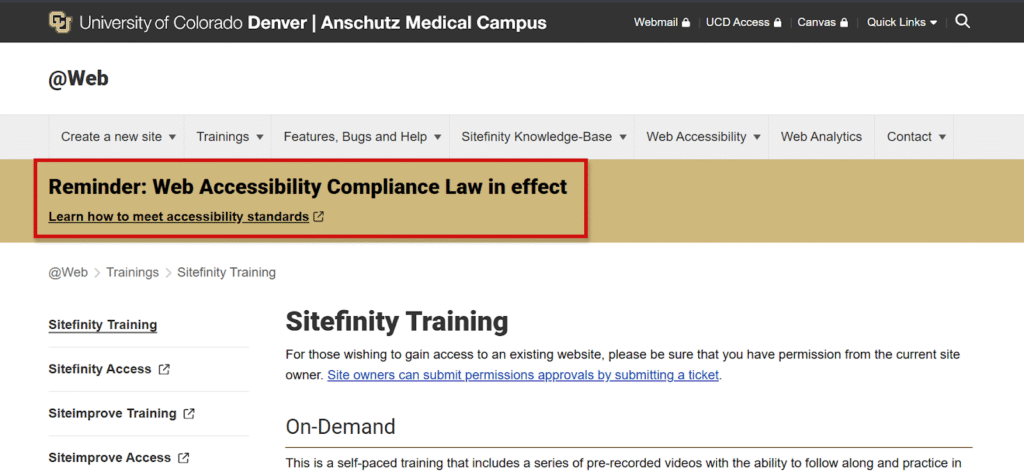
With Google algorithms, it always comes to intent and context. If the link provides value to users or genuinely attributes a contributor, it’s definitely not “bad” SEO.
⚠️ Do Sitewide Links Damage SEO?
They can – but only under the wrong circumstances.
As you saw, sitewide links aren’t inherently harmful, but can be misused. In this case, they can trigger penalties or lead to devaluation by search engines. Here are some things to avoid:
- Over-optimized anchor text: using the same exact-match keyword (like “buy cheap hosting”) across hundreds of pages can look spammy and manipulative.
- Irrelevant linking: linking to completely unrelated sites. For example, a local car dealership linking sitewide to an online casino raises obvious questions.
- Undisclosed paid or manipulative links: adding links purely for SEO gain without marking them as nofollow or sponsored can violate Google’s guidelines.
In these scenarios, Google may interpret the links as part of a link scheme – an attempt to manipulate PageRank – and penalize the site accordingly. inks as part of a link scheme – an attempt to manipulate PageRank – and penalize the site accordingly.
✅ What Conditions Make Sitewide Links Natural?
To avoid penalties, natural sitewide backlinks typically share these common traits: branded or neutral anchor text (use company names or simple CTAs), topical relevance (sites have a clear connection), and non-commercial intent (serves a functional or attributional purpose).
When these conditions are met, search engines are far more likely to treat sitewide links as legitimate.


📋 Top 10 Rules for Sitewide Links
Now that you’re clear on what is sitewide links (and how they can help or hurt your SEO), let’s talk about how to use them wisely. Here are 10 practical rules to follow when building or managing sitewide backlinks:
1️⃣ Use Nofollow
Not all sitewide links are editorial, and that’s totally fine. However, when a link is paid, promotional, or seNot all sitewide links are editorial, and that’s totally fine. However, when a link is paid, promotional, or self-placed (such as when a developer adds their own credit link in a client’s footer), you must adhere to the rules.
Adding a rel=”nofollow” attribute is one of them. Why it matters:
- Prevents link equity from being passed to potentially unrelated or commercial sites.
- Reduces the risk of manual penalties or algorithmic devaluation, especially under Google’s spam and link scheme policies.
Use rel=”nofollow” for paid or sponsored links, affiliate or referral links, sitewide credits with no editorial value, promotional badges or widgets that appear across pages, and any link that might look like a ranking manipulation attempt.
2️⃣ Use Branded Anchor Text
When it comes to sitewide links, anchor text matters a lot. Using keyword-rich anchors like “best SEO agency” or “cheap web hosting” across every page of a site is a fast track to triggering spam signals in Google’s eyes.
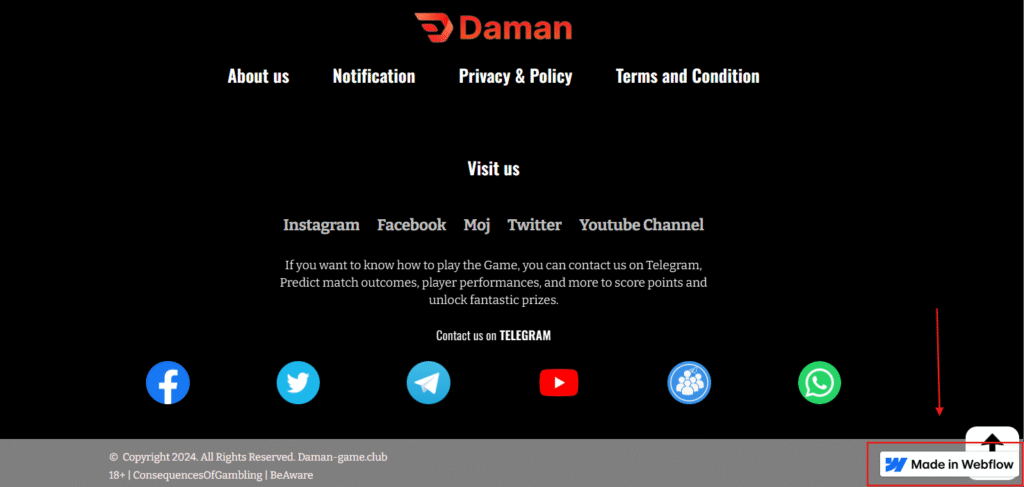
Instead, play it safe and smart by using brand names, domain names, or neutral phrases like “Visit our partner” or “Website by.”
Why is this so critical? Because over-optimized anchor text, especially when repeated sitewide, looks unnatural and manipulative. Branded or generic anchors, on the other hand, signal legitimacy and attribution. Example:
- “Best web design company in New York” (keyword-heavy and risky);
- “Webflow” or “Made in Webflow” (branded and safe);
Keeping your anchor text clean helps preserve both your rankings and your reputation. It’s a small detail that makes a big difference.
3️⃣ Copyright or Privacy Policy Links
Not all sitewide links are risky; in fact, some are critical. Links to legal pages, such as Privacy Policies, Terms of Service, Copyright Notices, or Cookie Disclaimers, are a standard practice across the web and are typically placed in the footer of every page.
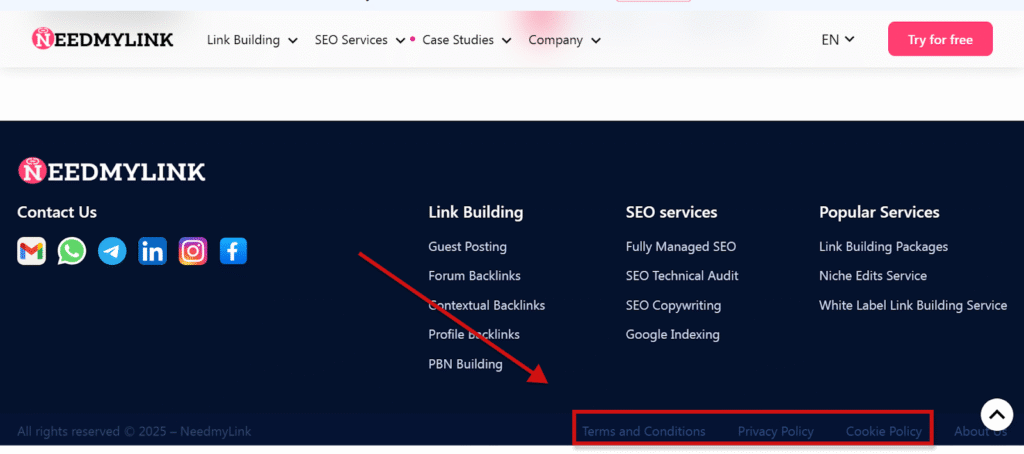
These links:
- Provide legal transparency and build user trust.
- Help websites comply with data protection regulations (like GDPR or CCPA).
- They aren’t designed to manipulate rankings.
Due to their functional and non-commercial nature, these links are considered entirely natural. Search engines expect to see them on most professional websites. They don’t pass harmful link signals and won’t put you at risk of penalties.
4️⃣ Mention the Website Designer
Giving credit to your website designer or developer with a sitewide footer link is a widely accepted and natural practice, as long as it’s done responsibly. For example, acuityscheduling.com has a link to www.squarespace.com.
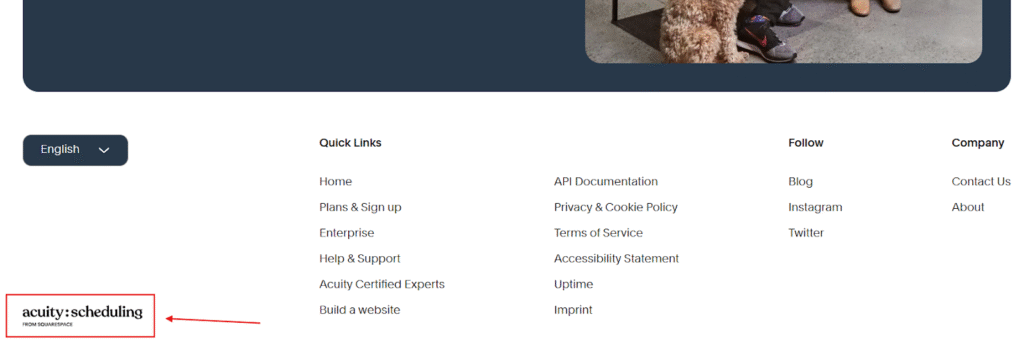
As long as you’re using branded anchor text and the link is clearly for credit or attribution, search engines won’t penalize you. In fact, these kinds of links are a great way to acknowledge the creator without looking manipulative.
A few tips to keep it safe:
- Avoid adding commercial keywords to the anchor text.
- Consider using rel=”nofollow” if the link was part of a business arrangement.
- Keep it subtle – one footer link is plenty.
Remember: intent and transparency matter. If the link is there to say thanks, not to game the algorithm, you’re in the clear.
5️⃣ Build Links Naturally and Gradually
In link building, sudden spikes in any links are considered a red flag. Acquiring a large volume of identical links across dozens or hundreds of pages in a short time can look unnatural to search engines and potentially trigger penalties.
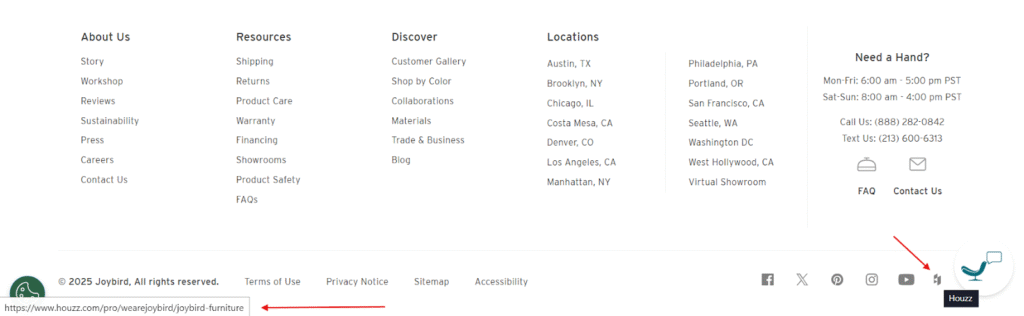
Just look at joybird.com. Alongside social media links, there is a link to another website in the footer. And it’s totally fine because of the relevance to Joybird.
Google’s algorithms are designed to detect link velocity patterns. If your backlink profile suddenly explodes with hundreds of sitewide links, it can appear as if you’re trying to manipulate rankings.
So, let sitewide links emerge organically through real partnerships, credits, or platform mentions.
6️⃣ Only Accept Relevant Sitewide Links
Not every backlink is a good backlink. If someone offers you a sitewide link or you’re placing one yourself, always ask: “Is this relevant to the content or audience of the linking site?”
A sitewide link is likely safe if:
- It comes from a website in the same or a closely related niche.
- There’s a logical connection between the two sites (e.g., business partners, shared ownership, or aligned audiences).
- The anchor text and link placement feel natural, not forced.
Search engines are getting better at detecting contextual mismatches. Irrelevant sitewide links aren’t just ignored; they can harm your SEO by signaling spammy behavior.
7️⃣ Mention the Software Links
Links that credit the content management system (CMS) or high-priority software used to build a site are seen as natural and acceptable by search engines.
These links often appear in footers by default, especially in free or open-source themes, and typically serve as:
- Attribution to the platform or framework powering the site.
- A subtle form of promotion for the CMS or plugin developers.
- A functional identifier for tools like caching plugins, page builders, or themes.
They’re safe because they’re not keyword-stuffed, contextually relevant to the website’s technology, and serve a non-commercial, informational purpose.
8️⃣ Buying Sitewide Links Is Risky
Purchasing sitewide links is one of the fastest ways to get on Google’s bad list. When done carelessly, it can lead to penalties, devaluation of your links, or even a manual action against your site.
Don’t buy links from unrelated or low-quality sites. Manipulating rankings never works in the long run. If you still intend to purchase sitewide links, be prepared for consequences. And if your goal is exposure or branding, there are safer and more effective ways to achieve it.
That said, if your intention is exposure or branding, there’s one exception: sitewide ad banners. These are typically displayed clearly as advertisements and aren’t trying to disguise themselves as organic links. And if you choose the right donor site, such banners can positively impact your site’s promotion by boosting brand awareness and driving relevant traffic.
Are you unsure whether buying links is a good idea in your case? Reach out to us, and we’ll help you evaluate the risks, recommend the types of links worth investing in, and steer you away from ones that could harm your SEO.
9️⃣ Remove Unnatural Sitewide Backlinks
Even if you’re not actively building spammy links, they can still find their way into your backlink profile. That’s why it’s critical to regularly audit your backlinks and take action when something looks suspicious. Watch out for irrelevant niches, low-quality or spammy directories, footer or sidebar links placed without your knowledge or consent, or over-optimized keyword-stuffed anchor text.
If you spot links like these, and especially if you suspect they’re hurting your rankings, you have a few options:
- Reach out to the site owner and request removal.
- If that fails, use Google’s Disavow Tool in Search Console to tell Google to ignore those links.
🔟 Link to Related Owned Publications
If you own multiple websites — like a blog network, e-commerce stores, or niche publications — it’s perfectly reasonable to link between them. In fact, sitewide links to your related properties can make sense when done with relevance and user value in mind.
If the connection between the sites isn’t obvious, consider adding a brief explanation, such as “Part of the … Media Network,” to provide the link with context.
Interlinking your owned sites can help users navigate your ecosystem and reinforce brand presence.
🛡️Avoid Google Penalties with Smart Linking
Sitewide links don’t have to be dangerous. The central idea is staying intentional, relevant, and transparent in your linking practices. To keep your SEO clean and penalty-free:
- Audit your backlink profile regularly using tools like Ahrefs, SEMrush, or Google Search Console
- Use rel=”nofollow” or rel=”sponsored” where appropriate, especially for paid or promotional links
- Control your anchor text distribution, prioritize branded, URL, or generic anchors over exact-match keywords
- Avoid manipulative tactics like link buying, over-optimization, or flooding unrelated sites with backlinks
Smart, ethical linking on top of that protects your site from penalties but also builds trust, strengthens domain authority, and refines long-term search performance.
🧠 Final thoughts
Sitewide backlinks have come a long way from their early days as a quick-win SEO tactic. Once a go-to trick for boosting rankings, they’ve since become a more nuanced and potentially risky tool in your SEO toolbox. But that doesn’t mean they’re off-limits.
Used responsibly, sitewide links can still support your site’s authority, reputation, and user experience. The core part is to treat them as functional, not tactical. If a link wouldn’t make sense to a real human user, it probably won’t make sense to Google either.
Stick to that principle, follow the rules you’ve just learned, and you’ll be able to use sitewide backlinks safely, ethically, and effectively, without worrying about penalties or algorithm updates. Or simply let NeedMyLink’s experts do the worrying for you.


